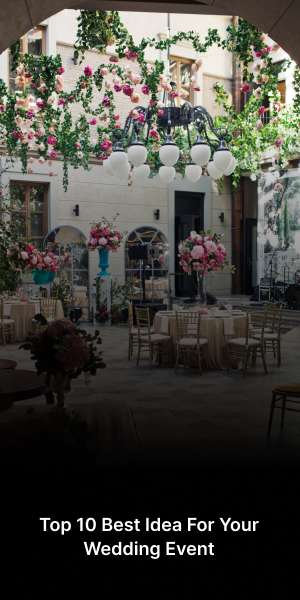

The Future of Virtual and Hybr...
The Future of Virtual and Hybrid Events: Why AttendRite is the Tech Leader There was a time, not to...


There is a specific kind of adrenaline that only event organizers understand. It’s that moment when the doors open, the music starts, and you realize every single seat is filled. But before the applause, there is the "The Gap"—that wide, intimidating space between having a great idea and actually selling out your tickets.
If you’re planning your first event, the logistics can feel like trying to solve a Rubik’s cube in the dark. From managing guest lists to worrying about search engine visibility, it’s easy to get bogged down in the "how" and lose sight of the "why."
That’s where AttendRite comes in. Think of us not just as a ticketing platform, but as your silent co-founder. Here is your step-by-step blueprint to taking your event from a draft in your notes app to a "Sold Out" banner on your website.
The biggest killer of momentum is "Technical Friction." You have the energy to launch now, but then you hit a wall of complex forms and confusing backends. We’ve all been there—trying to navigate a dashboard that looks like it was designed for NASA engineers in 1994.
AttendRite eliminates this. Our Simple Event Setup is designed for speed without sacrificing professional polish.
Define your ticket tiers: Whether it’s Early Bird, VIP, or General Admission, you can toggle these in seconds.
Visual Branding: Upload your banner, set your colors, and ensure your event page looks like your brand, not ours.
Instant Go-Live: No waiting for manual approvals. When you’re ready, the world is ready.
Pro-Tip: Start with an "Early Bird" tier limited to the first 20% of your capacity. This creates immediate "FOMO" (Fear Of Missing Out) and triggers early momentum.
Ready to see how easy it is? Create your event page in minutes on AttendRite.
You could host the most incredible event in the world, but if nobody can find it on Google, your guest list is going to be very short. Most organizers overlook the power of SEO (Search Engine Optimization).
When someone searches for "Music festivals in [Your City]" or "Business networking events near me," you want your AttendRite link to be at the top of the results.
AttendRite listings are SEO-optimized by default. We’ve built the technical architecture—clean URLs, meta tags, and fast loading speeds—so you don't have to. To maximize this, focus on:
Keyword-Rich Descriptions: Use the terms your audience is actually searching for.
Location Tagging: Clearly define your venue so local searchers find you.
Compelling Headlines: Don't just call it "Business Meetup." Call it "The 2026 Tech & Innovation Networking Gala."
The most powerful marketing isn't an ad; it’s a recommendation from a friend. To sell out your first event, you need to make it incredibly easy for your early supporters to spread the word.
Our Social Sharing Tools are integrated directly into the checkout flow. The moment a guest buys a ticket, they are prompted to share their excitement on Instagram, X, or LinkedIn with a single click.
Why this works:
Social Proof: When people see their friends attending, the "trust barrier" vanishes.
Reduced Acquisition Cost: Every ticket sold through a social share is a "free" lead for you.
Virality: Built-in sharing buttons ensure your event looks like the place to be.
To take this further, check out our advanced marketing tools, which allow you to track exactly where your sales are coming from.
Before you hit the "Publish" button, run through this quick checklist to ensure your AttendRite page is conversion-ready:
| Feature | The "Sold-Out" Goal |
| High-Res Visuals | Use a 16:9 banner that captures the "vibe" of the event. |
| Clear Value Prop | Within the first two sentences, explain why someone should spend their Saturday with you. |
| Mobile-Friendly | Over 70% of tickets are bought on phones. (Don't worry, AttendRite pages are fully responsive). |
| Urgency | Mention "Limited Capacity" or "Price increases soon." |
As the tickets start rolling in, your focus shifts from "Selling" to "Managing." The AttendRite dashboard gives you real-time data on who is buying and when. Use this data to pivot. If you see a spike in sales from Facebook but nothing from LinkedIn, you know exactly where to double down on your promotion efforts.
Planning an event is a journey of a thousand steps, but the first one is always the most important. By choosing a platform that handles the heavy lifting—from SEO to social virality—you can focus on what you do best: creating an unforgettable experience.
Don't leave your ticket sales to chance. Start your professional event listing on AttendRite today.

The Future of Virtual and Hybrid Events: Why AttendRite is the Tech Leader There was a time, not to...